Installation of the `galah-python` package
Overview
Teaching: 10 min
Exercises: 0 minQuestions
How do I install anaconda, galah-python and other packages for this workshop?
Objectives
Install all packages necessary for the workshop.
Installing anaconda
Go to this website:
https://www.anaconda.com/download/success
and download the appropriate distribution for your OS (Mac, Windows, Linux etc.)
Setting up your environment
using anaconda-navigator
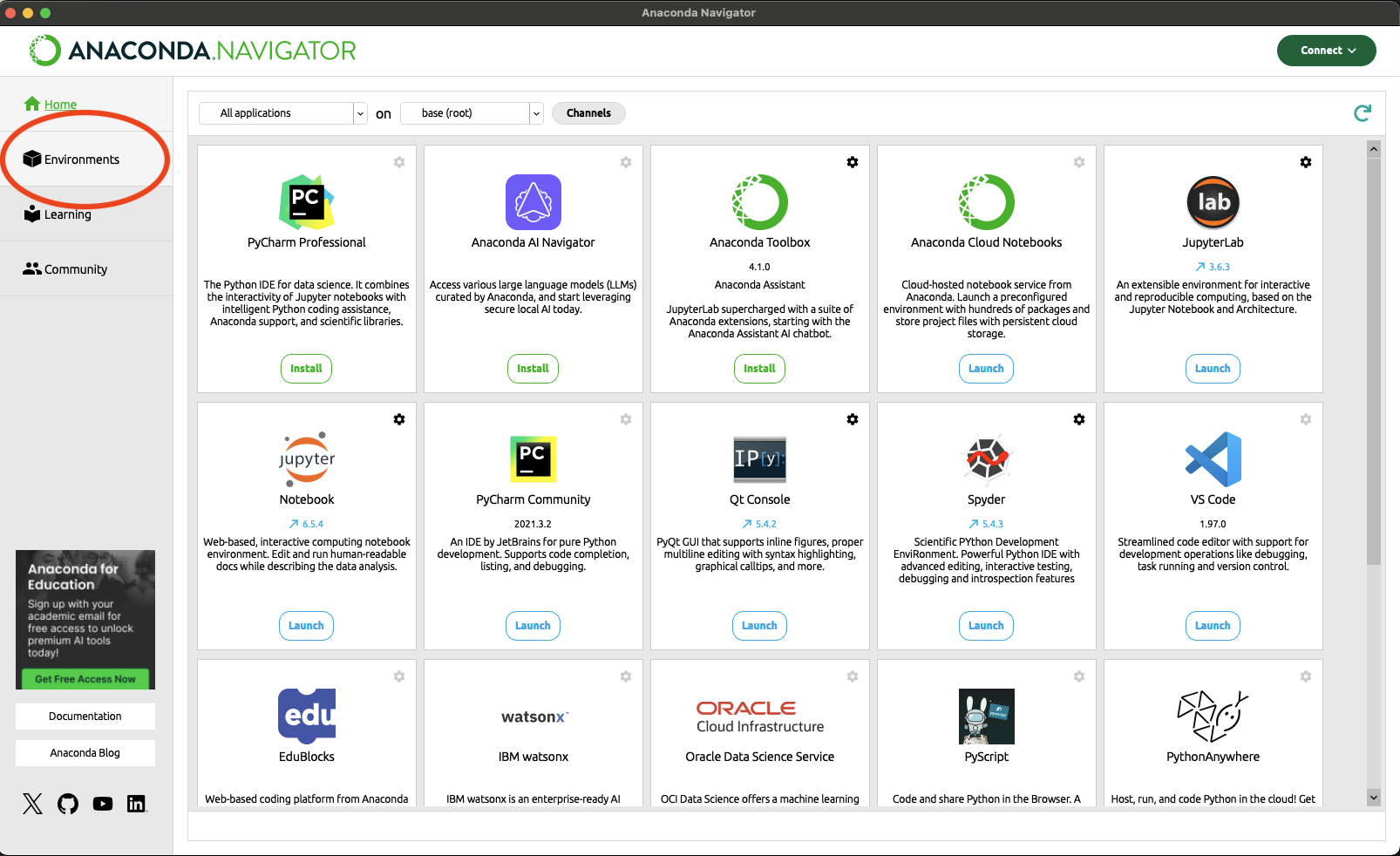
First, open the navigator and go to Environments.
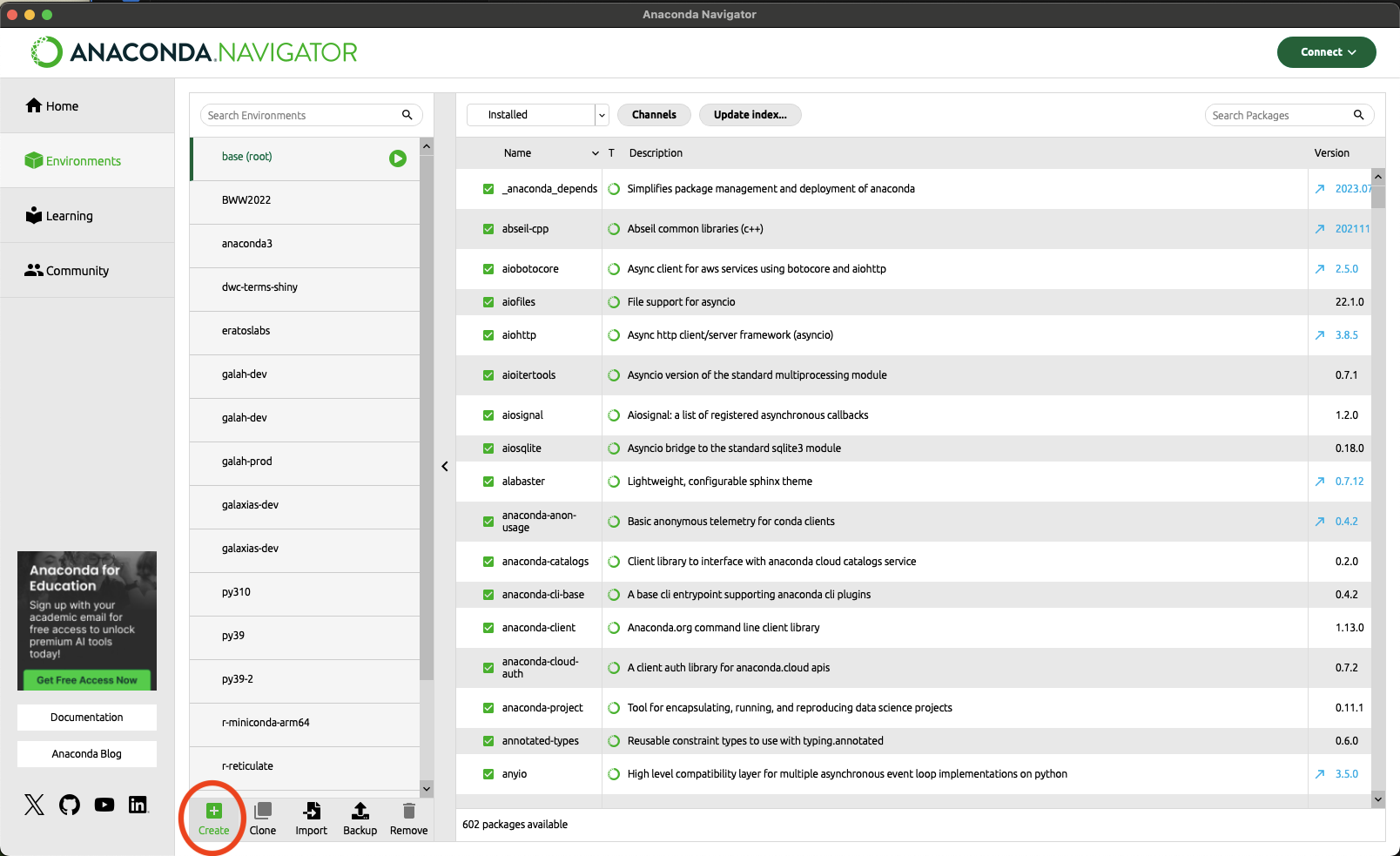
In Environments, go to the Create button.
Name your environment what makes sense to you. I used galah-python-workshop in this example.
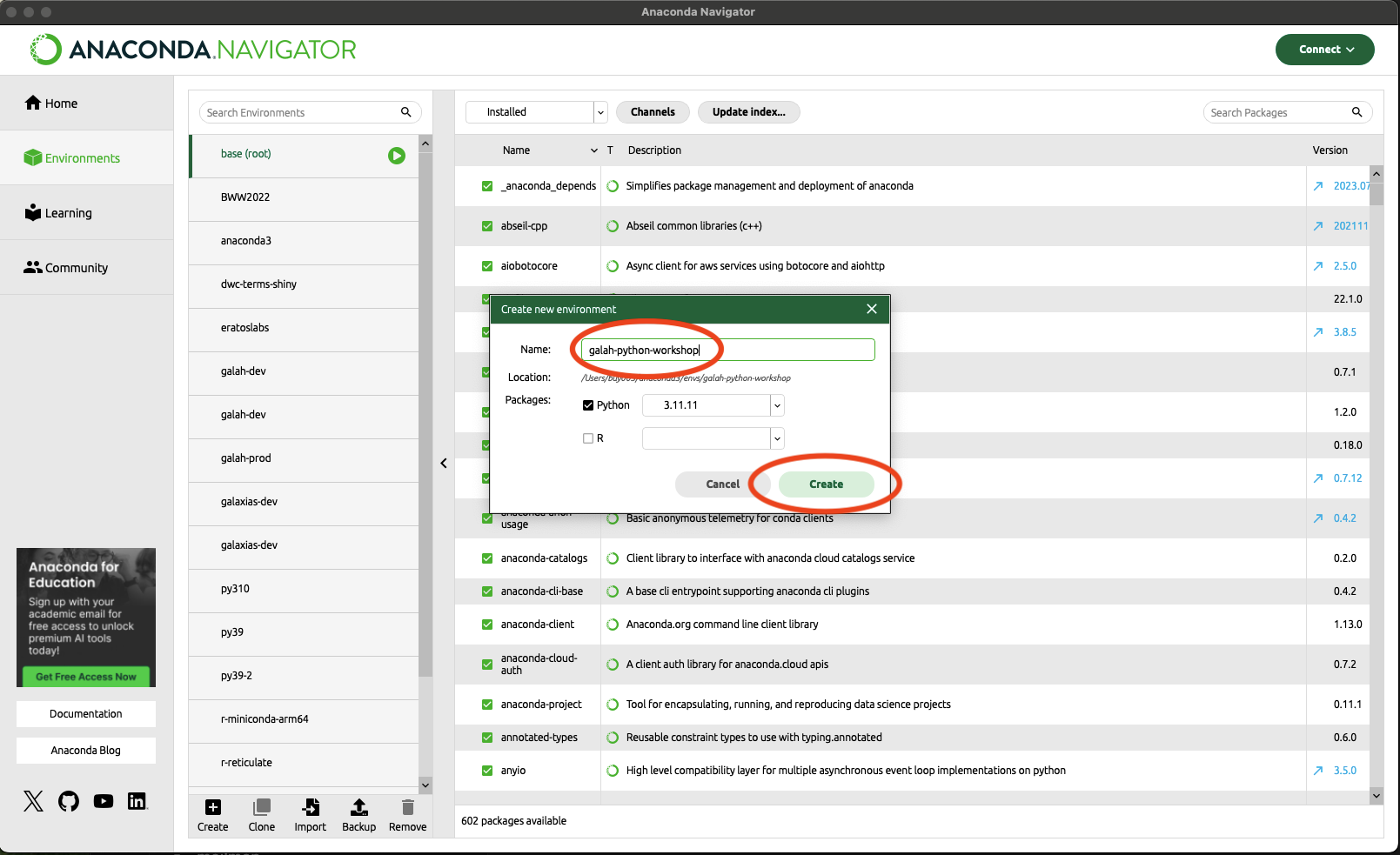
Click Ok, and then click on the environment.
using the terminal
When you open your terminal, create an environment using the following command (I’ve used galah-python-workshop as the name of the environment; however, feel free to name the environment whatever makes sense to you):
conda create -n galah-python-workshop python
To acivate your conda environment, run
conda activate galah-python-workshop
Installing galah-python and other packages
Unfortunately, I haven’t gotten around to shipping galah-python to the conda-forge installer yet. However, you can install other packages via conda-forge if you would like.
using Python Package Index (PIP)
First, you need to open a terminal. If this is your first time working with a terminal, awesome! You can do it from the anaconda navigator:
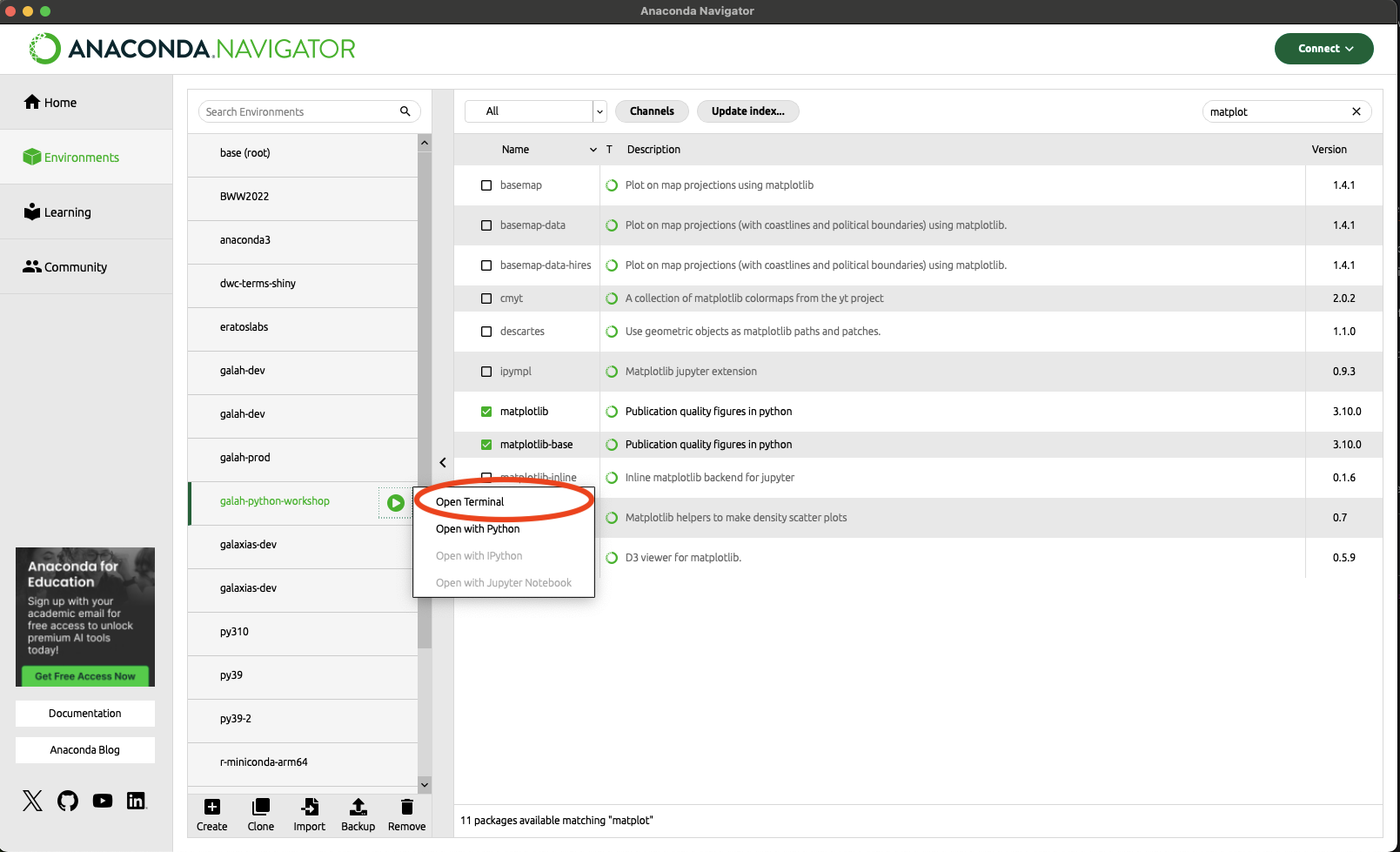
when the terminal is opened, type the following into the terminal:
pip install galah-python geopandas matplotlib jupyter
For those who are used to working with a terminal, ensure that you install these in your chosen conda environment
using anaconda-navigator
This example is for matplotlib; however, it can be done for all packages except for galah-python.
First, under your chosen environment, change the packages from Installed to All.
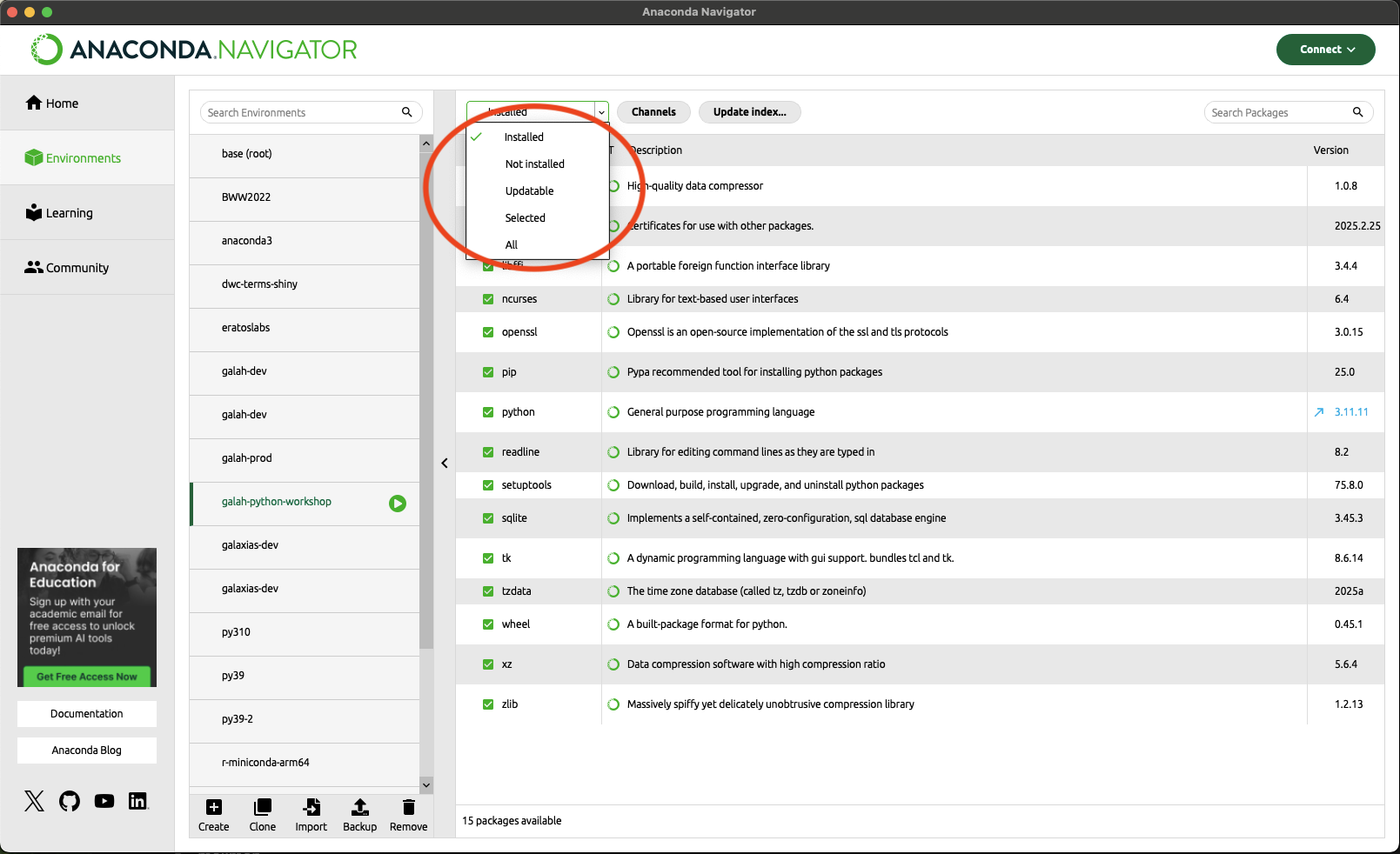
In the search button, search for matplotlib. You will get something like this:
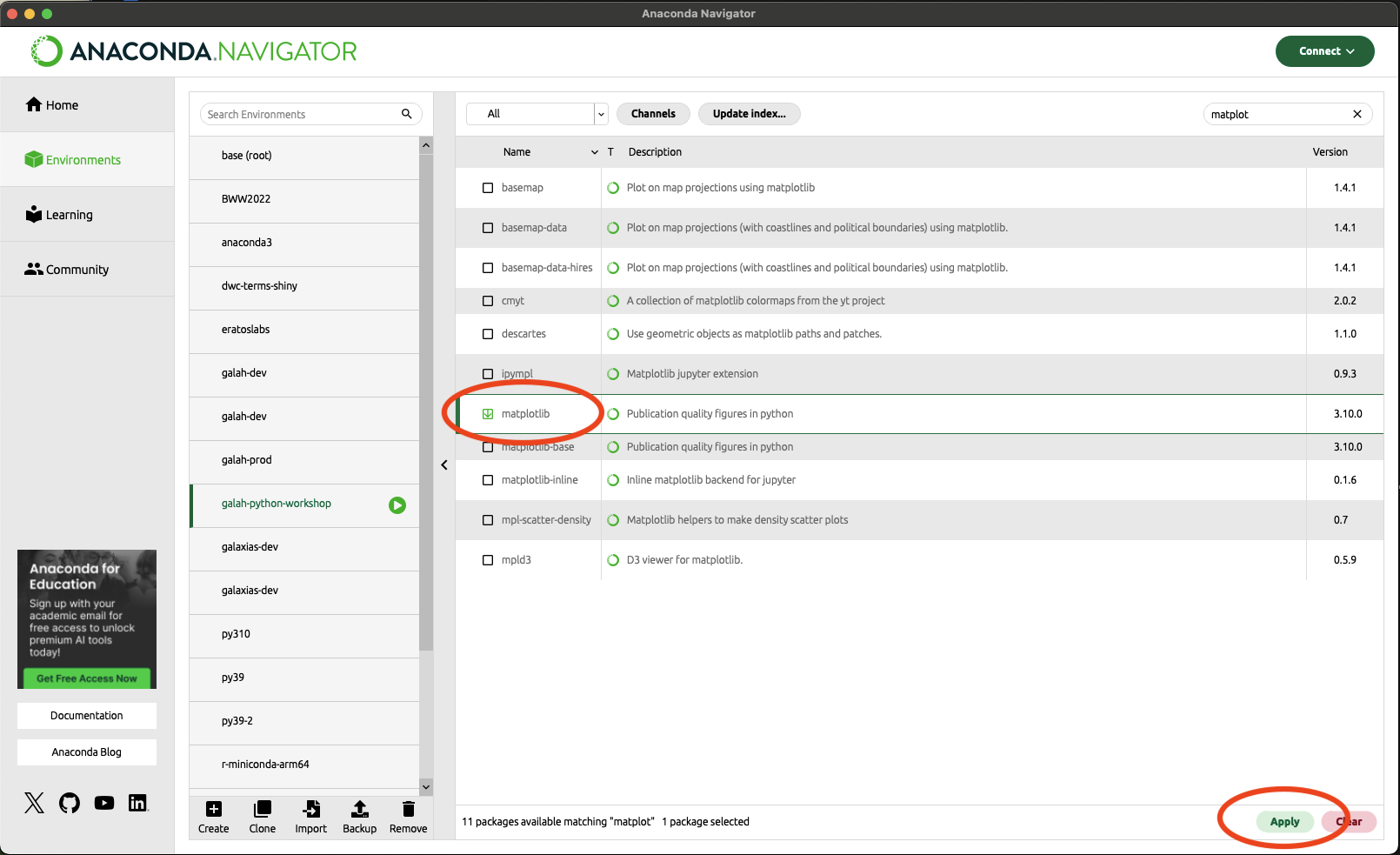
Select matplotlib and then click Apply in the lower left-hand corner. A pop-up window will come up looking like this:
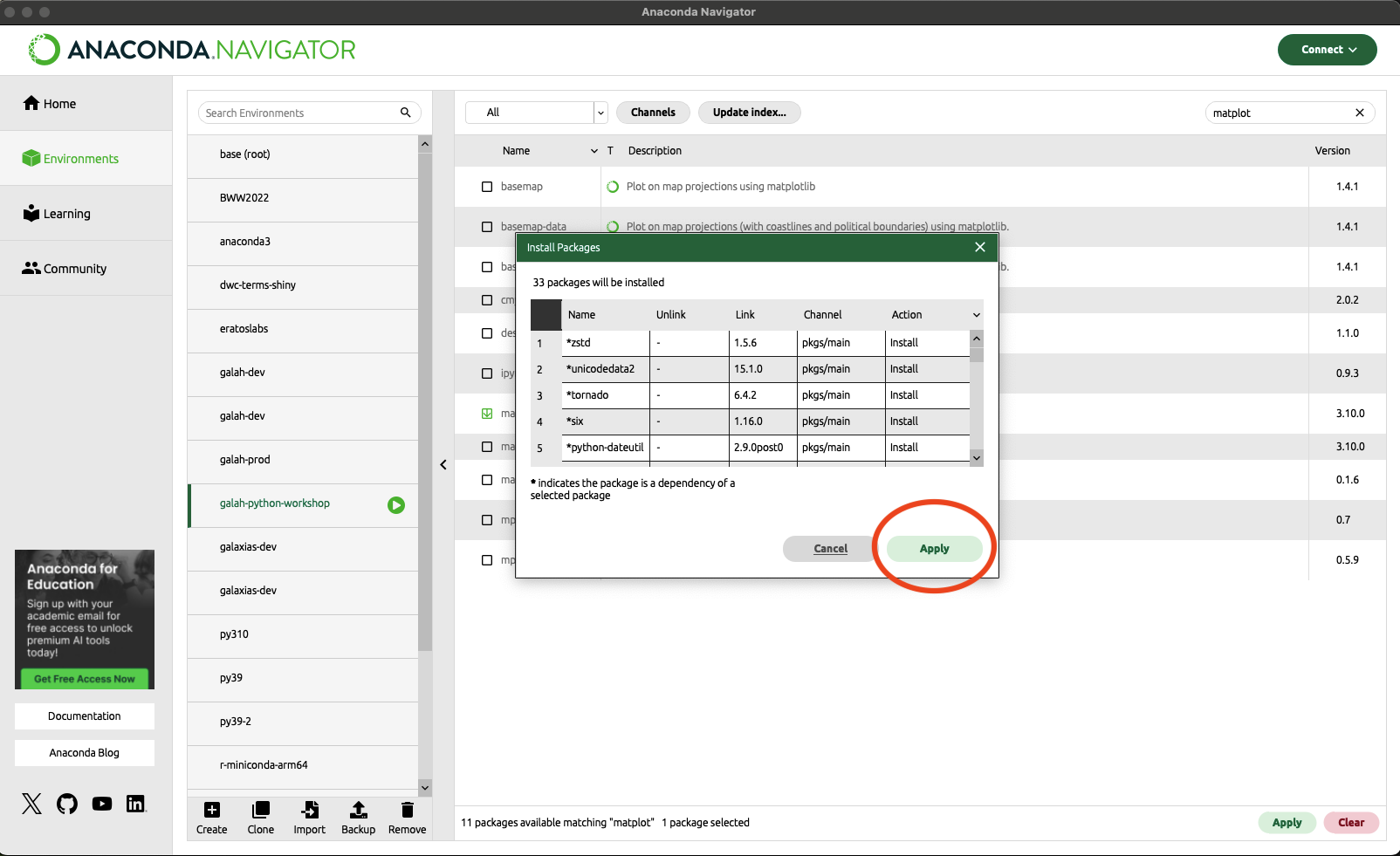
Click Apply, and matplotlib will be installed, along with all its dependencies.
Key Points